Help centre › Daily work
Arrived → Grooming → Done
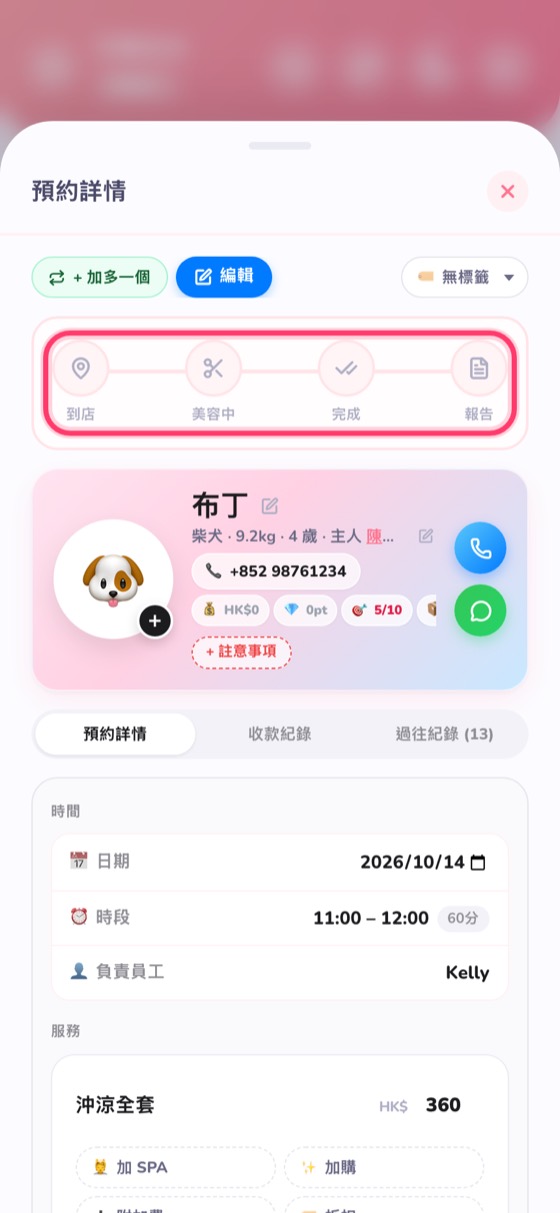
One tap on the progress bar at the top of the booking.
At the top of the booking details there's a progress bar: Arrived → Grooming → Done → Report. Tap Arrived when the customer comes in, Grooming when you start, and Done when you finish.
A booking that's fully paid moves to “Done” automatically. Afterwards you can take before/after photos and write a report.