Help centre › Daily work
Take payment (POS)
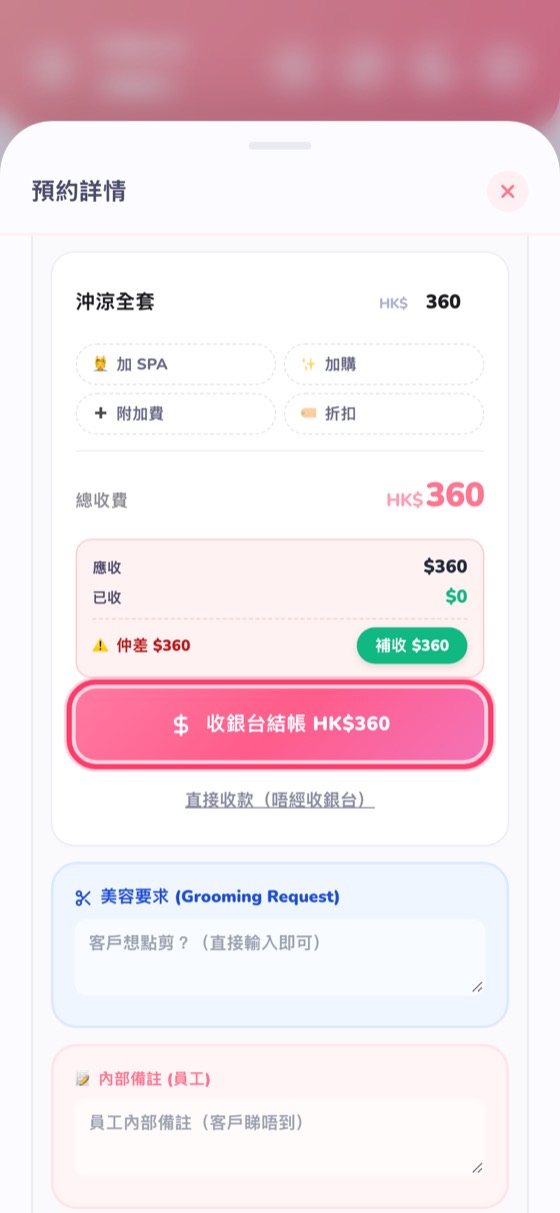
In the booking, tap “Checkout at POS” to charge the grooming and any retail together.
Shops with the POS (Basic plan and up) take payment at the POS, so receipts, shift cash-up and reports are all counted automatically.
- In the booking details, tap the pink Checkout at POS. (The Collect button in the calendar list does the same.)
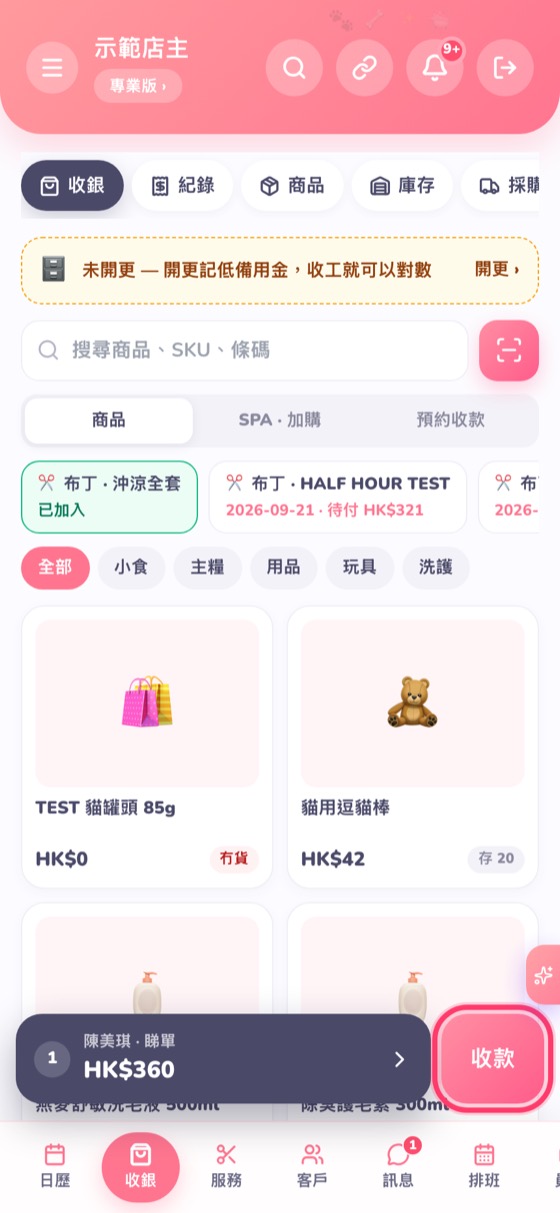
- The booking is already in the POS cart. If the customer also buys retail items or adds a SPA, tap the products to add them.
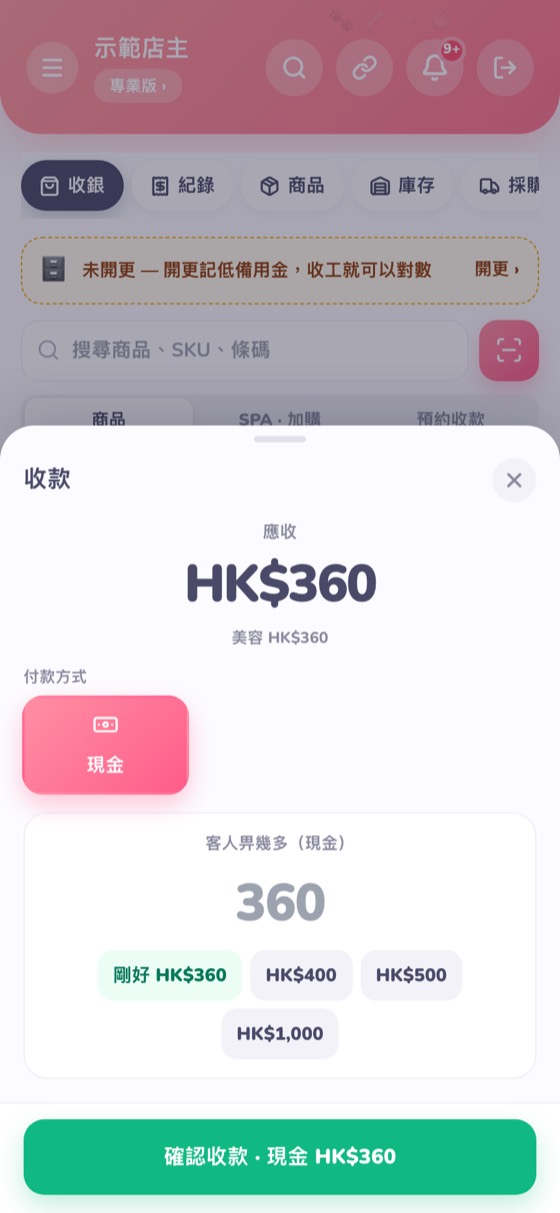
- Tap Collect and choose the payment method (cash, card, FPS, wallet…); you can split across several methods. For cash, change is worked out for you.
- Tap Confirm payment. The booking is marked “Paid” and you can print or share the receipt.
← Arrived → Grooming → Done · Take payment without the POS →