Help centre › Daily work
Change the time or groomer
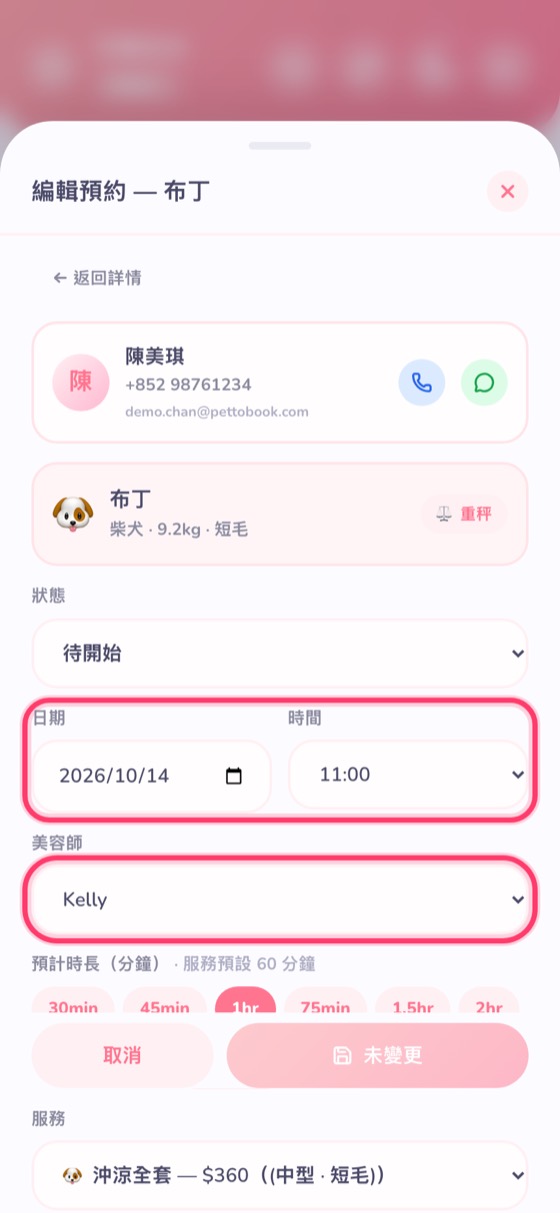
In the booking, tap “Edit” → change date, time or groomer → save.
- Tap the booking on the calendar to open Booking details, then tap the blue Edit.
- Change the date, time or groomer (you can also change the service and duration).
- Tap Save at the bottom (it says “No changes” until you change something).
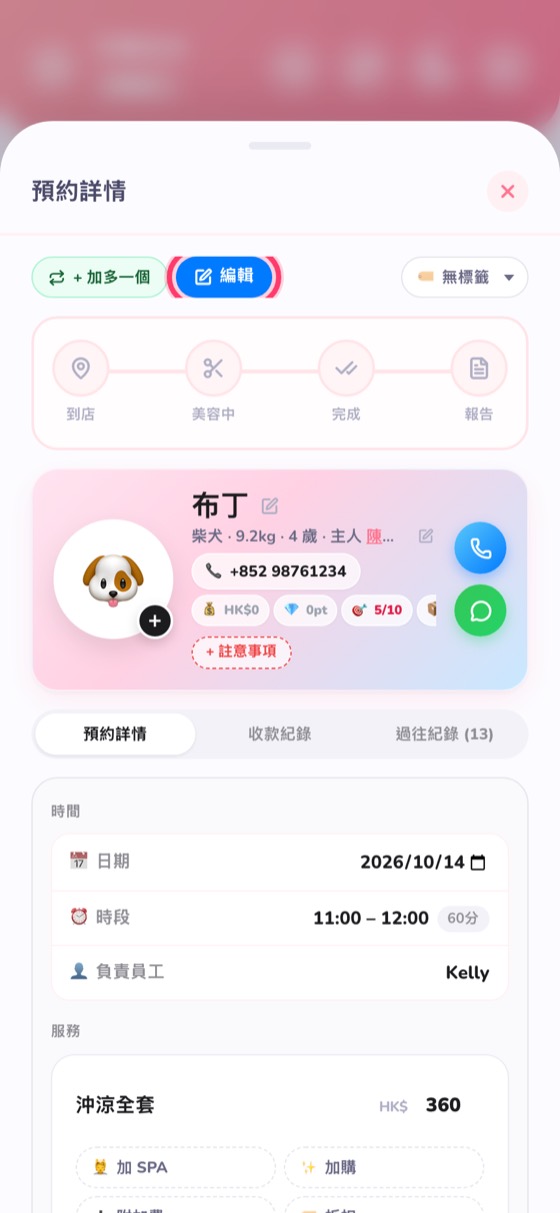
If the customer wants another appointment, tap Book again in the booking details and everything is filled in.