Help centre › Daily work
A customer walks in
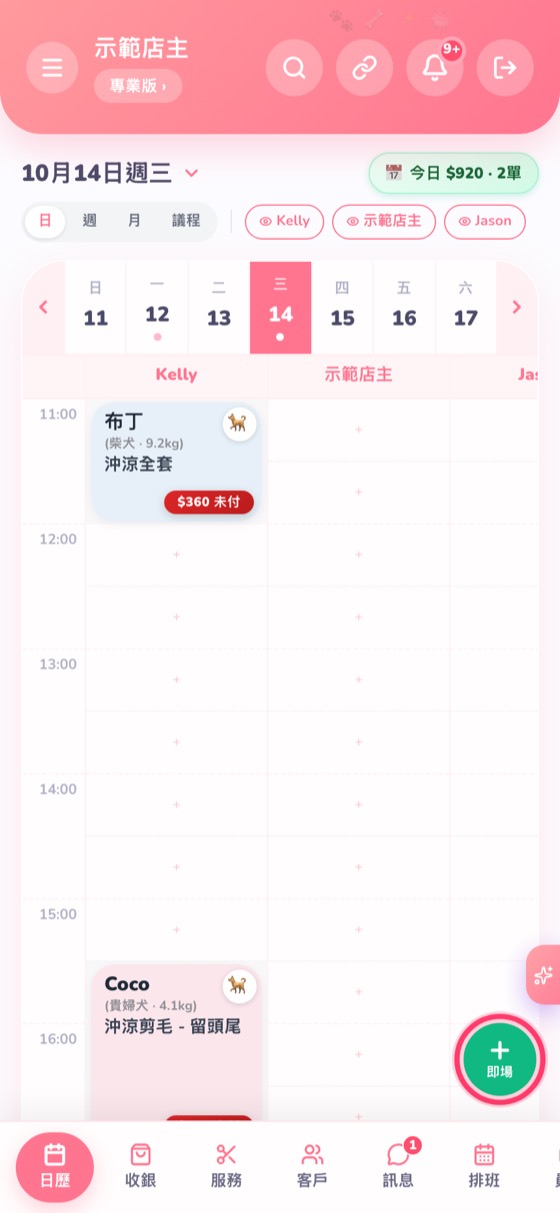
Tap the green “Walk-in” button; you can start grooming straight away.
- Tap the green + Walk-in at the bottom right of the calendar.
- Find the customer or tap New customer, then choose the pet and service.
- Tap ✂️ Check in & start grooming and the booking goes straight to “Grooming”; to only register it, tap Confirm.
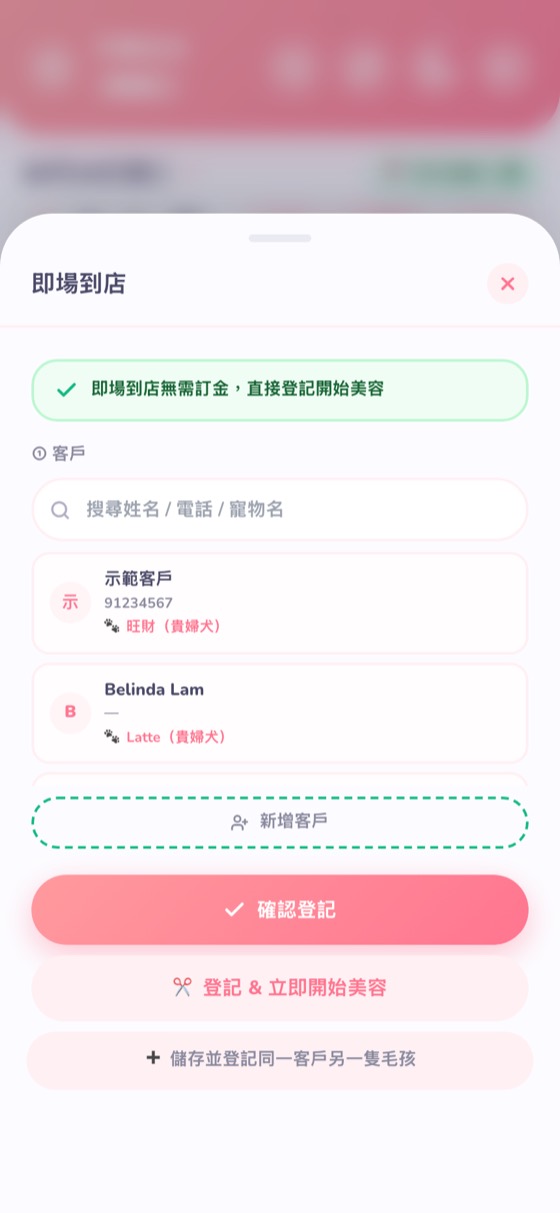
Walk-ins don't need a deposit.
← Add a booking (phone / WhatsApp customers) · Change the time or groomer →