Help centre › Daily work
Add a booking (phone / WhatsApp customers)
Tap an empty slot on the calendar → choose customer, pet and service → confirm.
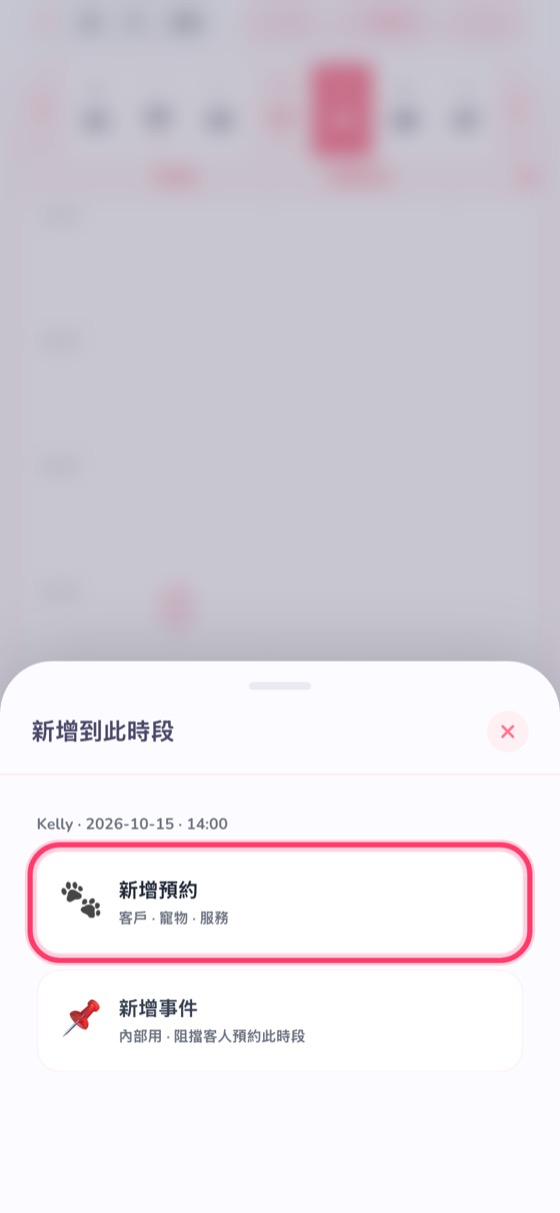
- Tap an empty slot (+) on the calendar; that time and groomer are filled in for you.
- Choose 🐾 New booking. (📌 New event is internal and blocks the slot from customers.)
- Search for the customer (name, phone or pet name) or tap New customer; then choose the pet and service — the price is worked out from the pet's size.
- Check the time and duration, then tap Confirm.

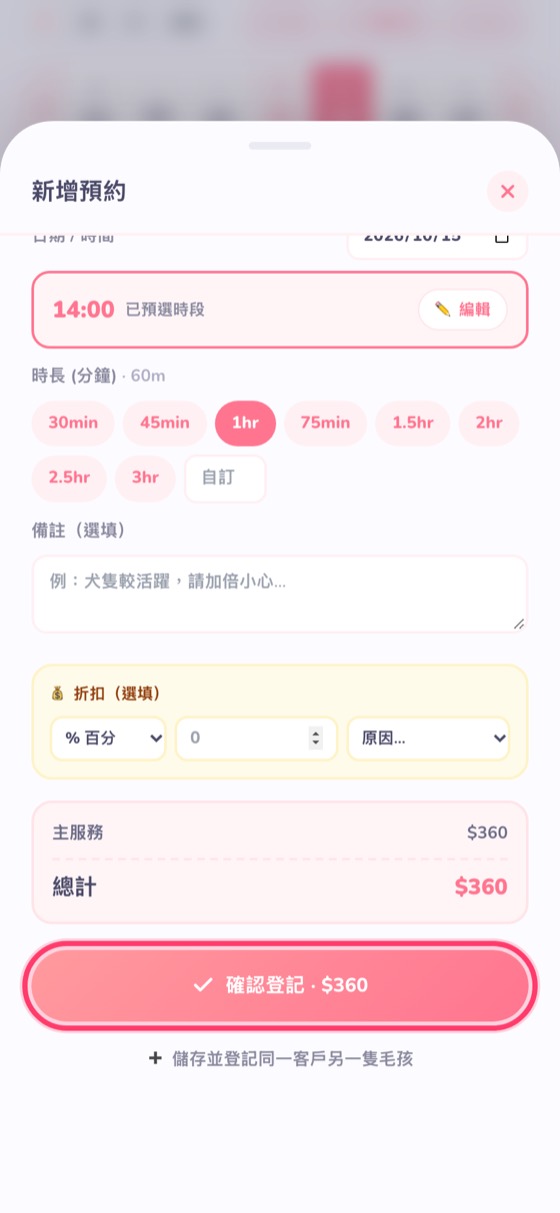
If that groomer is already booked at that time, you'll be warned — no double bookings. For a customer with several pets, tap ➕ Save and book another pet for the same customer.