Help centre › Daily work
No-show or cancellation
At the bottom of the booking: “Mark as no-show” or “Cancel booking”.
- Open the booking details and scroll to the bottom.
- If the customer didn't come, tap ⚠️ Mark as no-show; if they told you they're cancelling, tap ❌ Cancel booking.
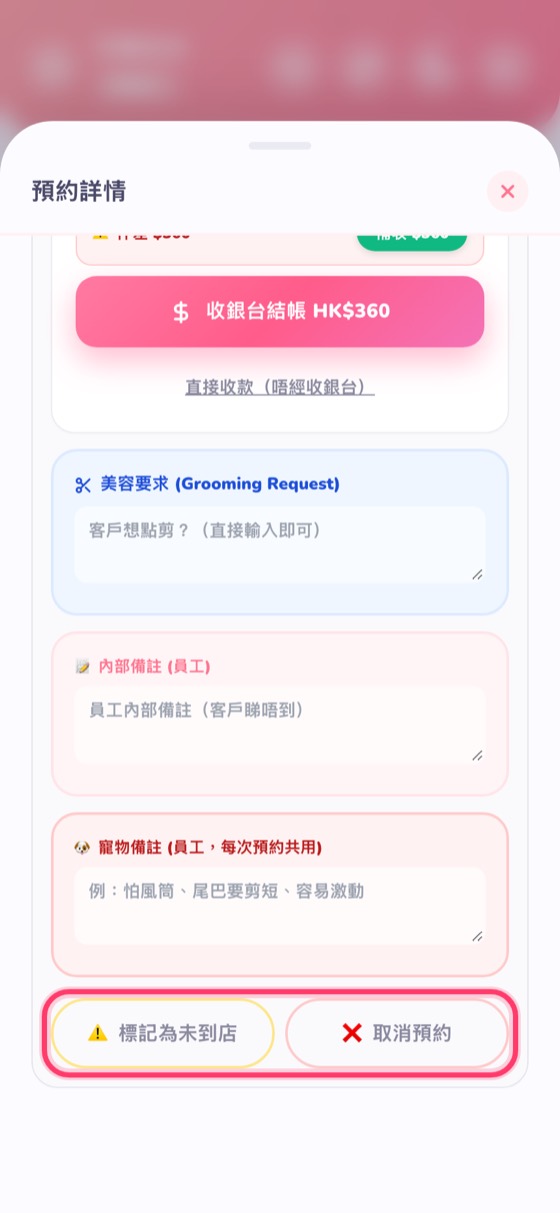
It's recorded on the customer's profile so you'll see it next time they book. The slot is freed for other customers immediately.
← Take payment without the POS · Before/after photos and reports →