Help centre › Daily work
Find a customer
Search “Customers” by name, phone or pet name.
- Go to Customers and type a name, phone number or pet's name.
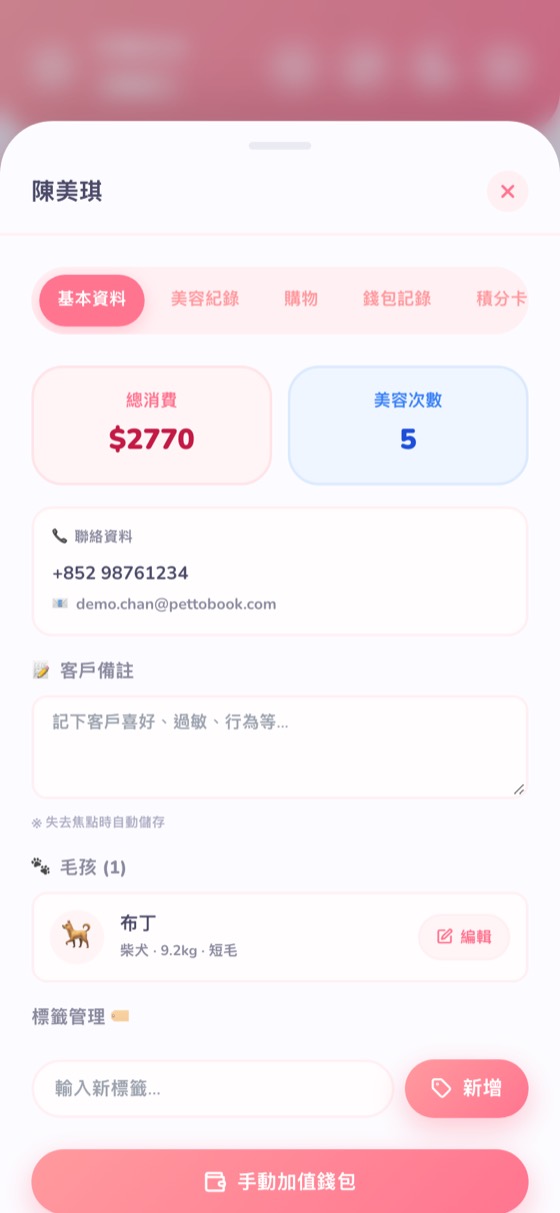
- Open them to see the Details: total spend, number of grooms, phone, pets, tags and notes; other tabs show grooming history, purchases, wallet and points.